
Looking for Starlink installers in Sale for a home or home office? SpaceTek plans the outdoor dish fitting, cable entry and indoor connection around the rooms you use. We can assess a new installation or discuss existing equipment, with the mounting and any network changes identified in the quotation.
Request a Sale installation quote or talk to Bob on 07802 410222.
Plan a Sale installation from the roof to your desk
Send your full Sale postcode, kit details and wide photographs of the mounting area. Include the room where the connection should arrive and any existing Ethernet sockets or mesh equipment. This helps distinguish an outside fitting job from work needed to reach an office at the other end of the house.
For a managed building, explain who can agree the external fixing and cable route. For a work computer, identify any employer-managed network requirements before booking. The installer’s connection checks and your employer’s application support may be separate tasks.
Nearby Altrincham video: a planned cable finish
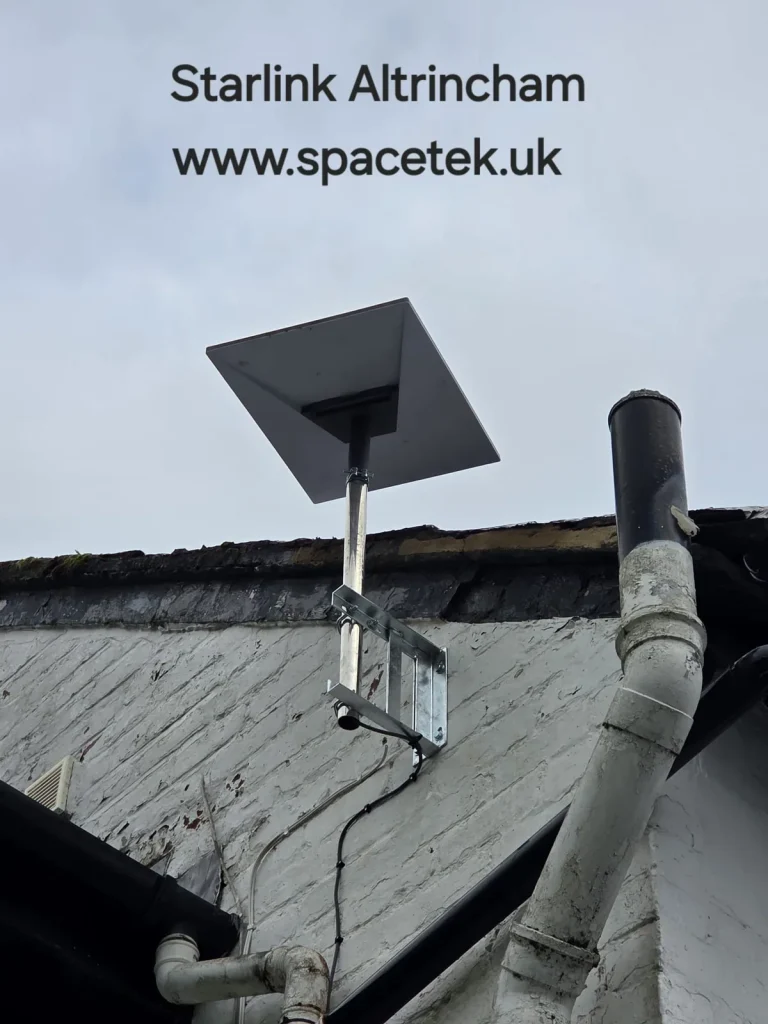
The SpaceTek video below is from Altrincham, not Sale, and shows the project pictured in this page’s archive photograph. Bob identifies the wall-supported dish and explains the cable route behind the drainpipe and the white finishing plate below. The wider view shows why existing pipes and roof details belong in the planning photographs.
For a Sale home office, apply the planning question rather than copying the mount: where should the cable arrive, and how will it reach the desk or existing network? The right answer depends on your building. The connection reading in the recording is a historical result for that visit, not a promised speed.
YouTube loads only when you choose to play and allow its cookies.
Watch the Altrincham installation on YouTube.
Photo: a SpaceTek installation in Altrincham, used as a nearby example. The home-working advice below is for Sale enquiries.
Describe a normal working day
Note whether you rely on video meetings, remote access, large uploads or shared documents. Include other people using the connection at the same time, such as a second home worker or someone streaming television. This does not predict a guaranteed speed, but it gives the installation brief a practical purpose.
Also record where your current connection struggles. If the office is poor while a device beside the router works well, investigate the indoor layout. Changing the internet service alone may leave the same weak connection between the router and the desk.
Give the office a place in the cable plan
The easiest cable entry is not always the best indoor destination. Identify your desk, the main television and any existing Ethernet sockets. A planned wired connection may be useful for a fixed workstation; other rooms may need suitable Wi-Fi equipment. The right arrangement depends on the property and existing network.
If you already use mesh units, send their model details and locations with the enquiry. Avoid moving them all at once before the job has been assessed. Knowing how the existing system is connected helps establish what can be reused and what needs changing.
Keep account access and work systems organised
Arrange for the Starlink account holder to be available during setup. If your employer manages the computer or remote-access software, keep its support contact available for any application-specific issue. An installer can check the agreed connection without needing your work passwords or private company files.
- Provide the full Sale postcode and Starlink kit model.
- Identify the office and other rooms included in the work.
- List existing mesh, Ethernet and wired devices.
- Explain access to the proposed mounting area and cable entry.
- Agree a time when any changeover interruption is manageable.
Check the result where you actually work
At handover, use the work computer at its normal desk. Try the agreed activities and check that any printer or wired equipment in scope is connected. Repeat a simple check in the other rooms named in the quotation. This is more meaningful than measuring only beside the new router.
Keep a short record of the installed equipment and which device provides Wi-Fi in each area. It makes later troubleshooting easier, especially where an existing mesh system remains part of the network.
Should I buy a new router before booking?
Send the current model and explain the problem first. A different router is not automatically the answer to poor room coverage, and compatibility should be checked against the actual Starlink kit. Agree the equipment as part of the installation plan.
Further help with your installation
- How to plan around an existing mesh system
- Understand upload-heavy working requirements
- Regional installation coverage and local planning advice
Sale installation costs and practical questions
What should a home-office quotation cover?
Ask for the outdoor fitting, cable entry and connection to the working room to be described. Identify any existing network equipment to be reused and any new cabling or Wi-Fi equipment required. Agree what will be checked from the desk before the work starts.
Can an installation visit fix every work application?
The agreed internet and local network checks help establish that the connection is working. Company-managed VPNs, firewalls and software may need your employer’s IT team. Have their contact available and describe known requirements before fitting.
The installation cost guide explains how mounting, access and extra network work affect the price.
Customer feedback about SpaceTek
Katie CG’s Google feedback highlights neat cabling and a clear explanation of setup with the app. These are business-wide reviews, not reviews attributed to the property owners featured on this page. Read SpaceTek customer reviews on Google.
Discuss your Sale installation
Send Bob your postcode and a brief description of the job or call 07802 410 222. Photographs taken safely from the ground help us understand the property before arranging the work.
SpaceTek UK is an independent installer. Starlink hardware, subscription and service availability are separate from the installation quotation. Meet Bob and learn about SpaceTek.



