
If you are considering Starlink installers in Leigh because a lost broadband connection stops your work, first decide what the backup must do. Installing a second connection does not automatically make devices switch to it. The physical installation and the changeover arrangement need a shared plan.
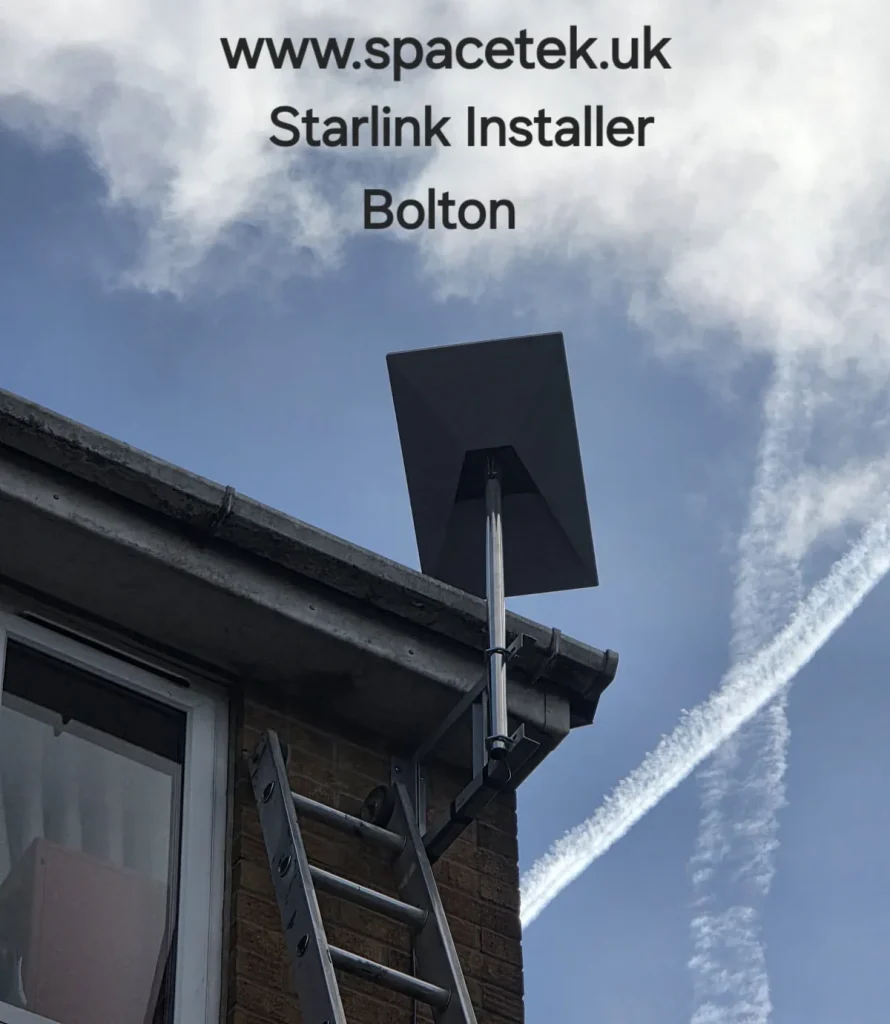
Photo: a SpaceTek installation in Bolton, illustrating an outdoor mounting arrangement. This is not a Leigh project photograph.
A nearby editing-suite backup project in Wigan
In SpaceTek’s Wigan recording, Bob identifies a home office and editing suite near Cherry Gardens. He says the Generation 3 installation is mainly a backup for the existing connection. This is a nearby example relevant to Leigh enquiries; it is not presented as a completed Leigh job.
The useful lesson is to describe the work that must continue during a fault. For an editing suite, transferring a large file and joining a live call are different activities. Agree the essential devices, the handover point to existing network equipment and who configures switching. The recording does not demonstrate an automatic changeover test, so that remains a separate item to specify and check.
YouTube loads only when you choose to play and allow its cookies.
Define a useful backup before choosing equipment
List the activities you want to keep running during a fixed-line fault. A single work laptop, an entire office and a payment system have different requirements. Identify whether somebody can manually change connections or whether your IT provider needs to configure an automatic arrangement.
State which devices are essential and which can wait. That gives the quotation a practical target and avoids treating the whole premises as one undifferentiated demand. Starlink service and plan suitability should be checked separately from the cost of the installation.
Agree who configures the router
A router that can manage more than one internet connection may be part of the design, depending on the existing network. Ask your IT contact to confirm the required equipment and connection type before ordering accessories. Mounting the dish alone does not configure failover, application access or the return to the main line.
Record where the Starlink connection will be handed over and who is responsible for each part of the setup. Do not include passwords or confidential network configuration in the initial enquiry; equipment model numbers and an outline of the requirement are sufficient to start.
A second internet service still needs power
Consider the power required by the dish, router, switches and the devices you need to use. A broadband backup is not, by itself, a power backup. If operation during a power cut is important, include that requirement for assessment by the appropriate supplier rather than assuming the additional dish resolves it.
Plan a controlled changeover check
- Choose a time when a short interruption is acceptable.
- Agree who can change the active connection and restore the usual setup.
- Check an essential device and a real work application.
- Verify the return to the main connection as well as the switch away from it.
- Record the steps and support contact for future staff use.
Specialist payment or remote-access applications may need their provider involved. Agree the test scope before installation so nobody assumes it is covered by a simple browsing check.
What should a Leigh enquiry include?
Send the full postcode, kit details, the existing router model and the purpose of the backup. Explain where the network equipment is located and who manages it. SpaceTek can then discuss the outside work and the agreed indoor handover.
Related planning advice
- Business network handover responsibilities
- Prepare the cable endpoint and network cabinet
- Regional coverage and installation planning
Discuss your Leigh installation
Send Bob your postcode, kit model and a description of the work or call 07802 410 222. Use photographs taken safely from the ground to show the building and proposed route.
SpaceTek UK is an independent installer. Equipment, subscription and service availability are separate from installation labour. Read about Bob and SpaceTek.
Customer feedback about SpaceTek
Chris Nagle’s public Google review describes the team making installation and everyday use easier to understand. This is feedback about the business, not a review attributed to the project featured here. Read SpaceTek’s reviews on Google.



