
Starlink for Buxton holiday lets works best when the installation is planned around the whole guest stay. Guests need to find the correct network, connect their own devices and use the rooms advertised with Wi-Fi. The owner or manager needs a clear way to identify a problem without asking a visitor to alter the equipment.
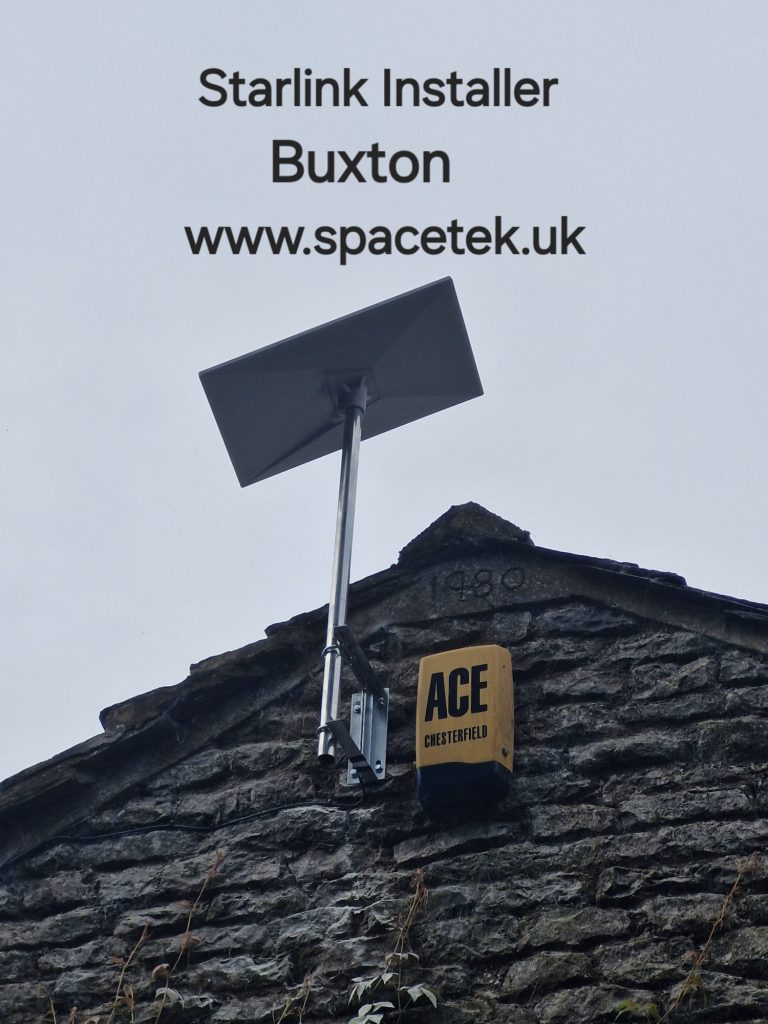
This is a planning guide for holiday accommodation. The Buxton photograph below is a local stone-building example from SpaceTek’s archive; the guest-network arrangements should be specified for your own property.
Write a room list before choosing indoor equipment
List the spaces guests use: bedrooms, sitting room, kitchen, any advertised workspace and relevant outdoor areas. Mark the intended router position and any existing network sockets on a simple floor sketch. Describe thick walls, extensions and separate floors so the installer can assess where additional coverage may be needed.
Check ordinary guest activities in those rooms at handover. Connecting beside the router does not show that a laptop works at the upstairs desk. Agree which locations will be tested and record any areas outside the installation scope.
Separate visitor access from management access
Decide which devices belong to the accommodation and which belong to guests. A management laptop, heating controller and guest phone do not necessarily need the same network access. Ask the person configuring the network to explain the intended separation and who will administer it.
Starlink’s network-mode guidance describes a Guest mode that isolates connected devices and prevents access to the Starlink app. Confirm the controls available on the installed router. Device isolation can also affect features such as casting from a guest’s phone to a television, so test the specific experience you intend to offer.
Keep account credentials and network administration access with the owner or authorised manager. The information supplied to guests should let them use the connection without giving them control of the service account.
Prepare a short welcome card and a separate staff note
A guest-facing card needs the network name, the connection instructions and a contact for problems. Keep it consistent with the information sent before arrival. Avoid promising a speed or coverage area that has not been demonstrated at the property.
The staff note serves a different purpose. Record the equipment location, what should remain powered, the approved first checks and the escalation contact. Make it clear which cables and controls should be left alone during cleaning. Store any sensitive access details securely rather than on the guest card.
Build Wi-Fi into the changeover check
Ask the person preparing the property to check the guest network from an agreed room, open a normal website and report any app or equipment warning to the manager. A simple repeatable check is more useful than an occasional speed-test screenshot with no location or time recorded.
If a guest reports a problem, collect the affected room, device and approximate time. Check whether other rooms are affected before arranging a visit. A router that has been unplugged during cleaning needs a different response from an external mount or cable fault.
Scope the installation and ongoing responsibilities
Ask the quote to identify the outside installation, indoor coverage work, guest-network configuration and handover. Confirm the intended accommodation use and suitable current plan directly with Starlink. Identify who handles the subscription, who manages the network and who can attend the property if needed.
Use our Buxton broadband options guide before choosing the service. The existing Buxton access and maintenance article covers external work, and our Derbyshire coverage page gives the wider area served.
Plan guest Wi-Fi for your Buxton holiday property or call Bob on 07802 410 222. SpaceTek is an independent installation business; your Starlink subscription is arranged separately.
Plan your satellite internet installation
Send your postcode, property type and any known Wi-Fi requirements. SpaceTek UK will review the site information and explain the practical next step.



