
For Starlink problems in Euxton, the most useful first step is a clear description of the fault. “The internet is slow” can mean a complete loss of service, intermittent interruptions, weak Wi-Fi in one room or a problem affecting just one device. Those situations should not automatically lead to the same purchase or installation work.
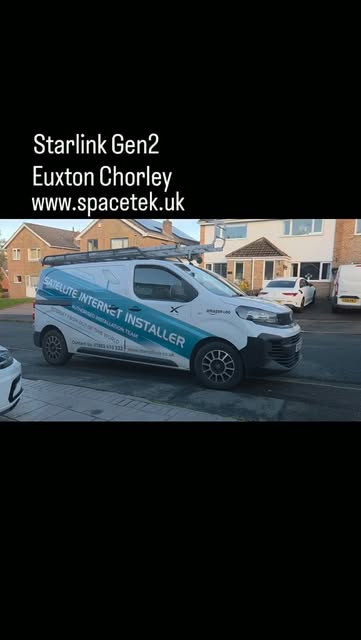
SpaceTek’s Euxton Gen 2 project video is a reminder that different generations are in use locally. It records an installation, not a reported fault at that property. Use the model of your own equipment and the app’s actual message when asking for help.
View the local Euxton Gen 2 installation reference (opens on the video platform).
Capture the symptom before changing settings
Write down when the problem began, whether it affects every device and whether anything changed shortly beforehand. Save a screenshot of the Starlink app message for your support enquiry. Record interruptions separately from a low speed-test result, and note whether the same problem occurs close to the router.
Keep private account information out of public posts. Do not factory-reset equipment as a routine first step: you may erase useful configuration and interrupt an otherwise working network. Follow the current instructions for the exact hardware and fault rather than a reset sequence intended for a different router.
Match the next check to the evidence
The app cannot reach the router
Starlink distinguishes an app-to-router connection problem from the router having no internet service. Its “Connect to your Starlink WiFi” guidance explains this distinction. Confirm which Wi-Fi network the phone is using and whether a third-party router or managed VPN is involved. For work equipment, ask the IT administrator before changing security or network settings.
Every device has lost internet
Check the service status and account notices in the app, then follow its fault-specific support path. Starlink’s guidance for a previously working connection that is now offline covers account status, the registered service location and physical cable issues. A subscription problem needs provider support; it is not solved by a taller pole.
One room or one device is affected
Compare another device at the same position and the affected device close to the router. This helps describe the fault without assuming that the outside dish is responsible. The Euxton home-office planning guide covers the indoor connection separately. Give the results to the person managing the network before buying replacement satellite equipment.
When an installation visit may be useful
A physical assessment can be appropriate if a cable is visibly damaged, the mount has moved, nearby growth has changed the sky view or the app reports an obstruction pattern that needs investigating. Photograph only what can be reached safely. Leave roof access, external connector work and any concerns involving damaged electrical equipment to a suitable professional.
Ask the visit to answer a specific question: is a component damaged, is the supporting arrangement sound, or would another position address the obstruction? Repositioning should have a clear reason. Replacing the whole kit should follow a diagnosis and consideration of provider support, rather than the age of the dish alone.
Send a useful fault summary
- Your Euxton postcode and the dish/router models.
- The exact app message and when the issue started.
- Whether all devices fail or only a particular room or device.
- Recent changes to the network, building, garden or account.
- Safe photographs of the installation and any visible damage.
Keep any Starlink support reference with those notes. SpaceTek can discuss installation and cabling work, while Starlink handles its service and account decisions. Request an assessment of your Euxton installation or call Bob on 07802 410 222. A diagnosis may lead to a repair or network adjustment; a new dish is only one possible outcome.
Plan your satellite internet installation
Send your postcode, property type and any known Wi-Fi requirements. SpaceTek UK will review the site information and explain the practical next step.



