
If you are moving Starlink in Chorley, treat the relocation as two connected jobs: arranging service for the new address and moving the physical equipment. Having a dish ready to pack does not confirm that the account is ready to operate at the next property. Start with the move date, the exact kit and the period when you still need internet at the old address.
Arrange the service change separately from the fitting work
Check the current requirements in your own Starlink account before booking removal. Starlink’s service-address guidance explains that changing a residential service address disables service at the previous location. Availability at the destination must be checked, and the instructions differ for Roam and Maritime plans.
Do not change the address early simply to complete a moving checklist if you still rely on the old connection. Coordinate the timing with Starlink’s account guidance and your moving arrangements. An installer can plan the fittings and cable route but cannot promise account availability or override the provider’s service conditions.
Make an equipment and ownership list
Record the dish model, router, power supply, cables, adapters and mounting parts. Photograph labels for your own records, but do not publish account details or passwords. Identify which items you own and which belong to a landlord, employer or another party. Taking your own equipment to another address is a different situation from handing it to a new owner; ask Starlink about any transfer requirements if ownership is changing.
Include indoor network equipment in the list. A mesh unit, switch or Ethernet adapter can easily be left behind because it sits away from the main router. Conversely, equipment that belongs to the property should not be assumed to form part of the Starlink kit.
Plan removal and making good
A roof- or wall-mounted dish needs a suitable access plan. Agree who will remove the hardware, what happens to redundant fixings and how unused cable entry points will be finished. Have the cable and connectors assessed before deciding to reuse them, especially if they have been exposed or trapped along the route.
Keep connectors protected during transport and follow the instructions for the actual kit. Do not force an actuated dish into a packing position or pull a cable through an opening by its connector. Where access or removal is awkward, arrange professional help rather than making removal the last unplanned task on moving day.
The new building needs a fresh mounting decision
The old bracket may be unsuitable for the next wall, roof edge or dish position. Compare the available sky view, supporting surface and cable route before deciding which parts can be retained. The indoor destination may also change: plan for the room where the connection will be used, rather than automatically repeating the previous entry point.
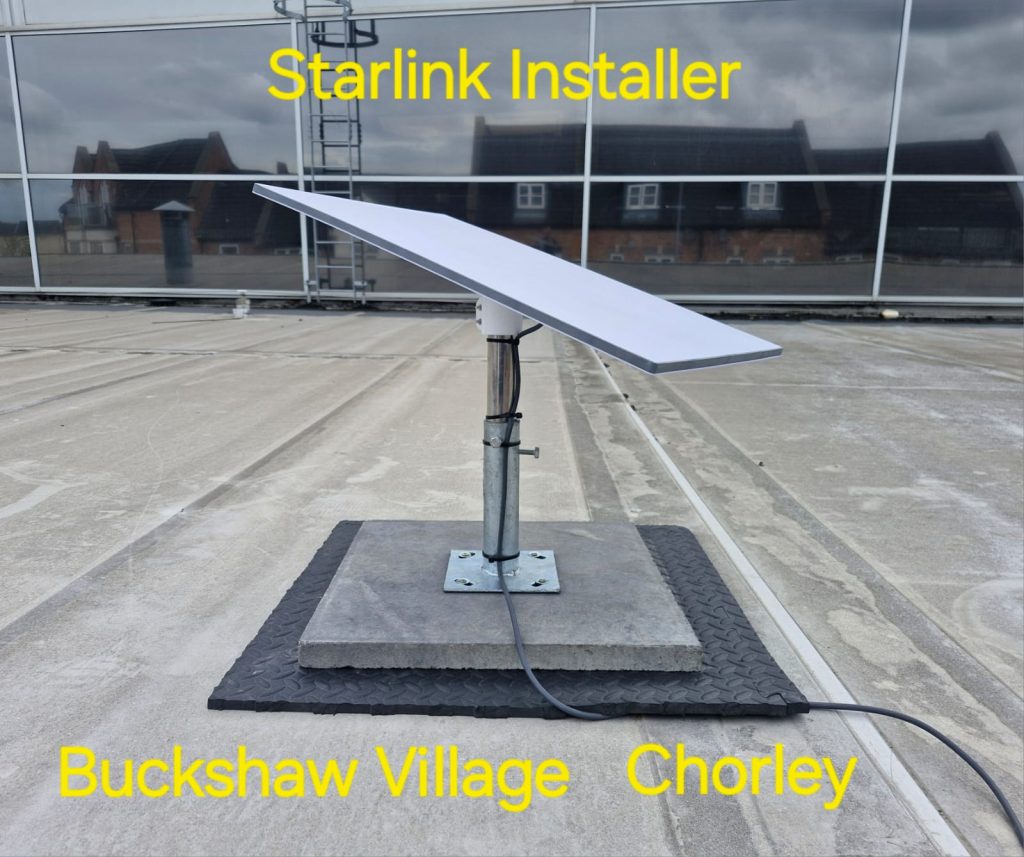
SpaceTek’s Chorley installation guide includes a genuine Buckshaw Village flat-roof example. The Whittle-le-Woods nursery project shows a different building and an eaves-level installation. These local examples illustrate why a move requires a new assessment; neither project is being presented as a relocation job.
See the Whittle-le-Woods building and mount in the archive video (opens on the video platform).
Prepare a relocation quotation
- Give the old and new areas, move date and any gap between access to the two properties.
- Identify the exact Starlink kit and the equipment you intend to retain.
- Provide ground-level photographs of the existing installation and possible positions at the new property.
- Explain who can approve removal, new fixings and cable entry.
- Ask the quotation to distinguish removal, making good, replacement parts and reinstallation.
Keep the account change and physical work dates in one plan. Once reinstalled, check the connection in the rooms you actually use and record any follow-up work. Ask SpaceTek about moving a Starlink installation in Chorley or call Bob on 07802 410 222.
Plan your satellite internet installation
Send your postcode, property type and any known Wi-Fi requirements. SpaceTek UK will review the site information and explain the practical next step.



