
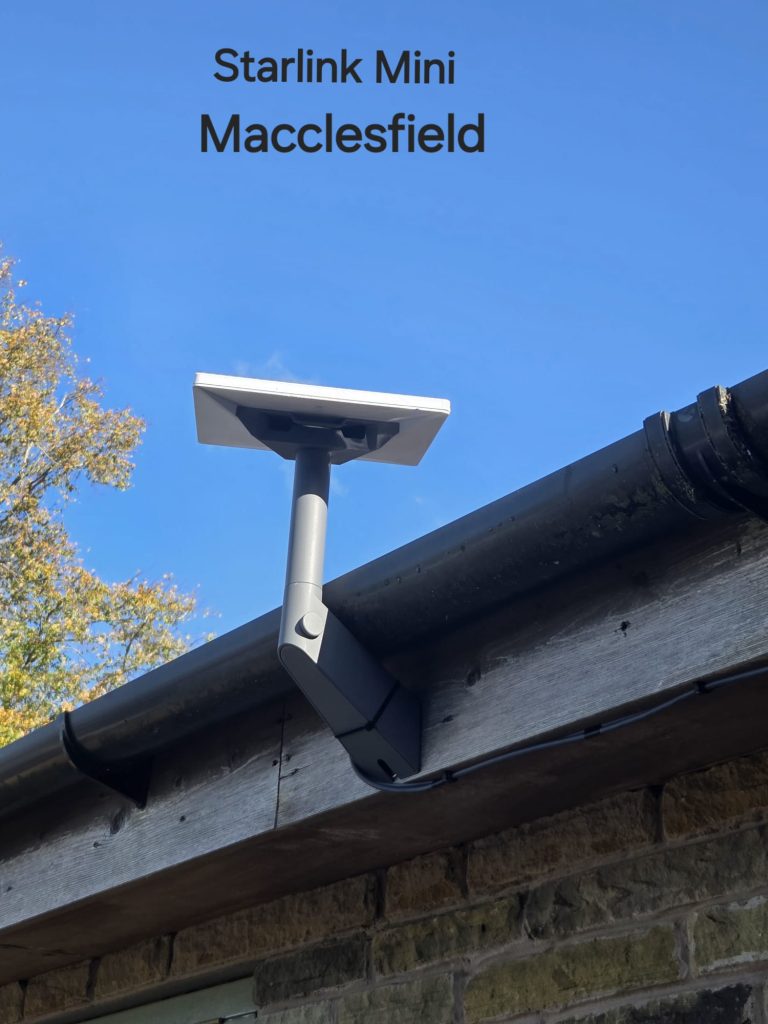
This Starlink Mini installation in Macclesfield was completed at a stone property with a slow copper-line connection. The photograph shows the small dish on a grey mount beside timber fascia and guttering, with the cable routed along the edge of the building.
Watch the Macclesfield installation
The connection change recorded for this project
SpaceTek UK’s video description reports around 6 Mbps on the previous copper landline and around 200 Mbps following installation. These are the results reported for this particular property. They should not be read as a promised Mini speed or a result that every home will reproduce.
The case is useful because it connects the hardware choice to a specific problem: a slow incoming service. It also highlights a second question that should always be considered in a stone home—how the connection will reach the devices inside.
A compact installation beside the fascia
The Mini is positioned near the roof edge on a short mount. The photo shows the cable clipped along the building and trees within the wider scene. Roof clearance, the supporting structure and surrounding obstacles all remain relevant even with a small dish.
The visible fascia is not enough information to specify fixings for a different property. The construction behind the mounting point needs assessment. A position should be chosen for a suitable sky view and a sound installation, rather than copying a photograph without checking the building.
Satellite performance and indoor Wi-Fi are different
Starlink Mini has built-in Wi-Fi, but thick walls and the distance from the outdoor unit can affect indoor coverage. A good connection at the dish does not establish the experience in a room on the far side of a stone house.
Before installation, identify the work area, main living rooms and any other spaces that need reliable connectivity. Discuss compatible network options if the integrated Wi-Fi will not cover those areas. Starlink’s Mini Wi-Fi guidance explains the limitations of using the built-in router across larger spaces.
Planning a Macclesfield Mini installation
Send your postcode, photographs of the building and surrounding trees, and the exact kit model. Explain whether the current problem is a slow internet service, weak Wi-Fi in certain rooms, or both. This distinction helps when planning the installation and any additional networking.
See our Macclesfield Starlink installation service for the broader local service. This case study concentrates on the Mini and the needs of a stone property.
Macclesfield installation questions
Is Mini suitable for every stone house?
The appropriate kit and network depend on the property and how the connection will be used. The mounting location and indoor coverage should both be assessed before deciding.
Why might a phone show a different speed in another room?
The local Wi-Fi connection can be affected by distance and building materials. Testing the incoming internet connection separately from room coverage helps identify the cause.
Mounting reference: Starlink’s guidance on checking for obstructions.
Discuss your Macclesfield installation
Send SpaceTek UK your postcode, kit details and property photos to discuss a suitable installation. Request an installation quote or call Bob on 07802 410 222.
Learn more about SpaceTek UK and see more installation projects and guides.
See also: Starlink installation across Cheshire and all service areas.
Plan your satellite internet installation
Send your postcode, property type and any known Wi-Fi requirements. SpaceTek UK will review the site information and explain the practical next step.



