Starlink V5 is a compact residential customer terminal from Starlink. For UK homes, farms, rural businesses and power-conscious installations, the practical question is whether its smaller dish, lower power use and Router Mini make it a better choice than the V4 / Standard 4 X kit.
Starlink V5 at a glance
V5 is best understood as a redesign focused on size, weight, efficiency and easier fixed installation. It is not currently advertised as a major speed upgrade: the published headline download figure is 375+ Mbps, compared with 400+ Mbps for the V4 / Standard 4 X kit.
Is it Starlink V5 or Starlink Gen 5?
The official product name is Starlink V5. It is commonly described online as “Starlink Gen 5”, but that phrase can cause confusion because this is not a new generation of Starlink satellites. It is the next residential customer terminal: the dish, router and associated kit installed at the property.
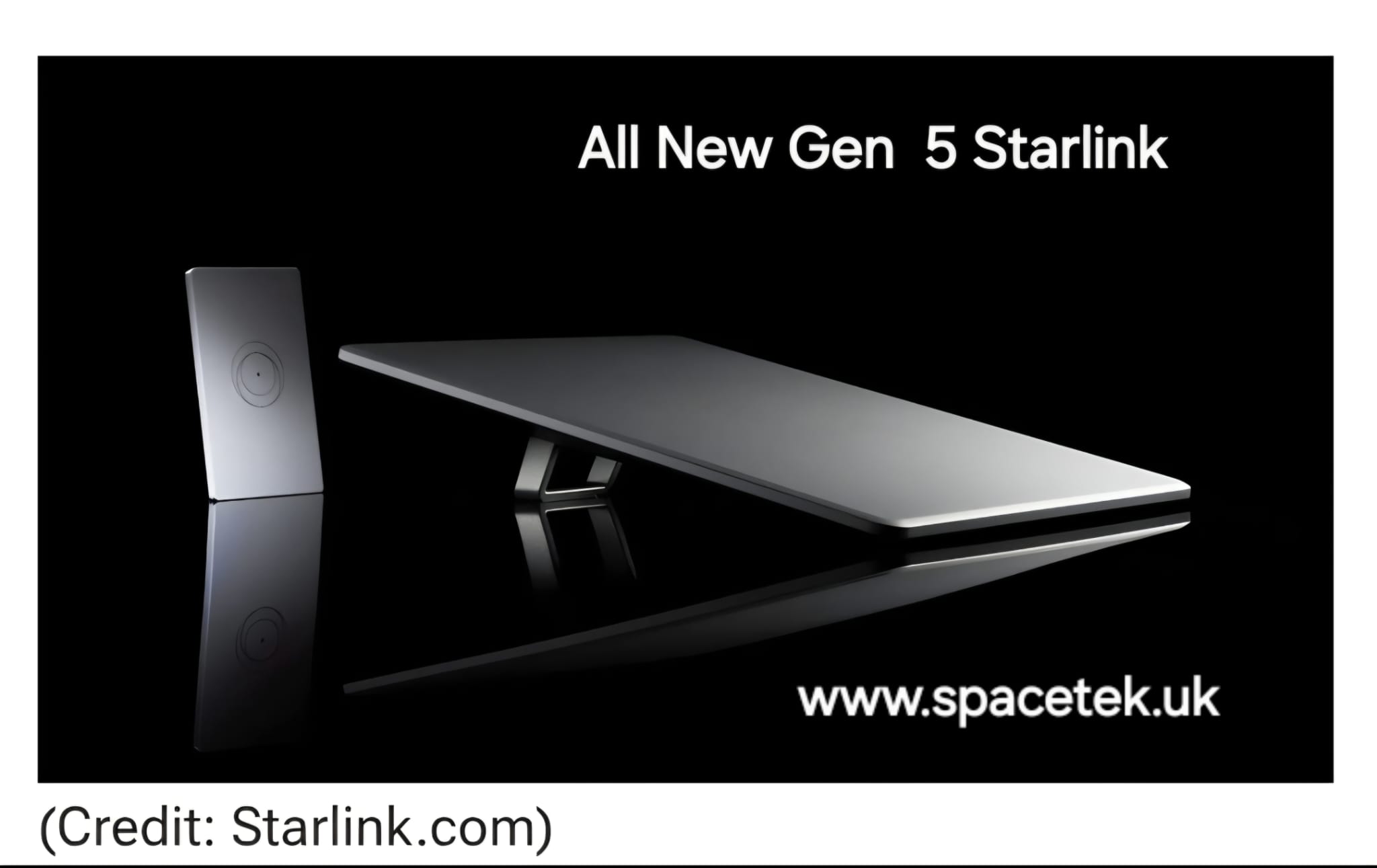
Starlink V5 vs Gen 4 comparison
Check the kit name: this comparison uses V4 / Standard 4 X with Router 3. Starlink also has a separate Standard 4 bundle with Router Mini. Do not assume every kit described as “Gen 4” contains the same router; compare the exact package on your order.
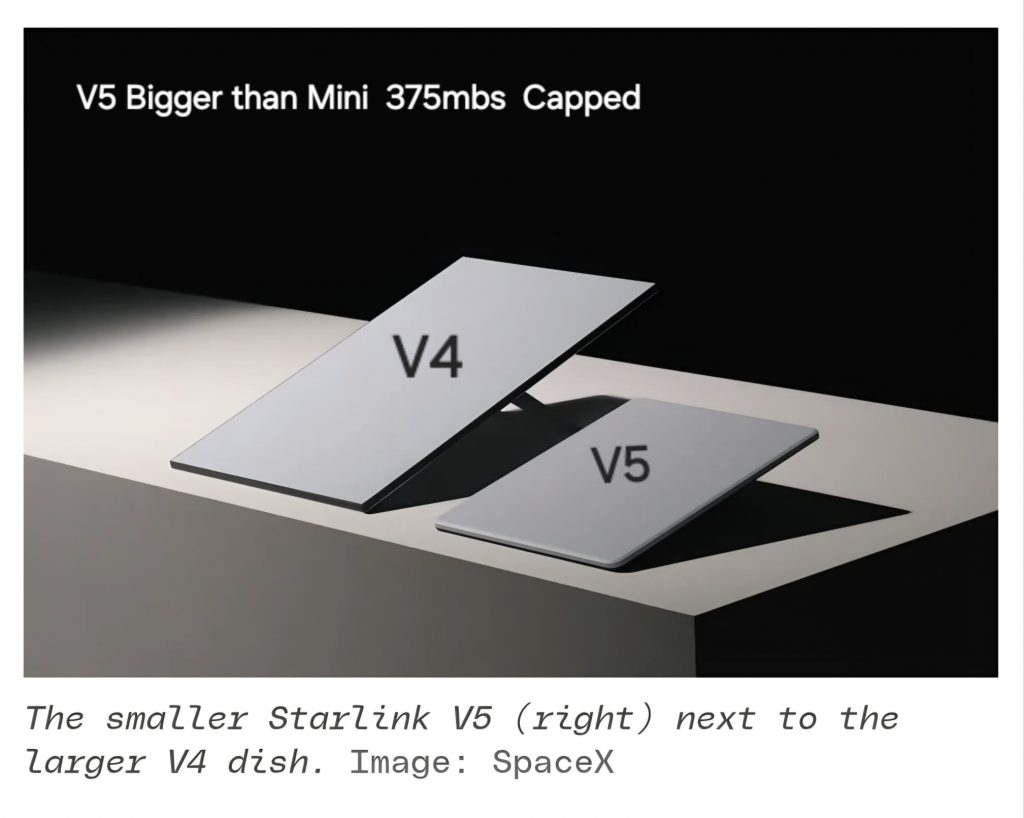
Compared with the V4 / Standard 4 X residential kit, V5 is much smaller, substantially lighter and uses around half the published power. The trade-off is a slightly lower headline download figure and the inclusion of the smaller Router Mini rather than Router 3.
| Feature | V4 / Standard 4 X | Starlink V5 |
|---|---|---|
| Advertised peak download | 400+ Mbps | 375+ Mbps |
| Dish dimensions | 594 × 383 × 39.7 mm | 384 × 306 × 34 mm |
| Dish weight | 2.9 kg | 1.1 kg |
| Average power | 75–100 W | 35–50 W |
| Field of view | 110° | 110° |
| Dish rating | IP67 Type 4 | IP67 Type 4 |
| Included router | Router 3 | Router Mini |
| Router Wi-Fi | Tri-band 4×4 MU-MIMO | Dual-band 2×2 MU-MIMO |
| Router coverage | Up to 297 m² | Up to 204 m² |
| Pipe adapter | Not listed as standard | Included |
The dish face area is approximately 48% smaller and the dish itself is approximately 62% lighter. The midpoint of the published power range falls from around 87.5 W to 42.5 W, a reduction of roughly 51%. Those changes make V5 particularly interesting where mounting weight, appearance or ongoing power use matters.
Starlink V5 key specifications
| Specification | Starlink V5 |
|---|---|
| Advertised maximum download | 375+ Mbps |
| Dish dimensions | 384 × 306 × 34 mm |
| Dish weight | 1.1 kg |
| Complete kit weight | 3.8 kg |
| Average power consumption | 35–50 watts |
| Field of view | 110° |
| Orientation | Software-assisted manual orientation |
| Environmental rating | IP67 Type 4 |
| Mounted wind rating | Up to 265 km/h / 165 mph when properly mounted |
Router Mini: what UK customers should know
In the UK V5 specification sheet checked on 22 October 2026, the kit includes the Starlink Router Mini, not the larger Router 3. The Router Mini supports Wi-Fi 6, dual-band 2×2 MU-MIMO and two 1 Gbps Ethernet ports. That sheet lists coverage up to 204 m² and support for up to 235 devices. Those are product figures, not a guarantee of coverage through every wall or at every device.
For a smaller home, office or outbuilding, the Router Mini may be entirely suitable. Larger properties, thick walls, multiple floors and business premises may need additional networking. A wired access point, additional router, mesh arrangement or different internal network layout can often provide more dependable coverage than relying on one router alone.
Is Starlink V5 available in the UK?
Checked on 22 October 2026: Starlink publishes a UK V5 product page and UK specification sheet. Its V4/V5 comparison says V5 is available in selected areas, with availability expanding. These pages do not establish which kit will be supplied to every UK address.
Before ordering, enter your service address on Starlink’s UK website and confirm the terminal model, included router and full hardware or rental charge shown for that order. A UK specification page is not a guarantee of stock or a particular kit at your property.
Monthly Starlink service prices should not be confused with the hardware cost. Hardware purchases or rental arrangements and ongoing service plans are separate parts of the overall price.
Starlink V5 installation requirements
A professional Starlink V5 installation still depends on the fundamentals that apply to earlier systems: a clear view of the sky, correct alignment, safe cable routing and a structurally suitable mounting point.
V5 uses the Starlink app for obstruction checking and alignment assistance. The dish is manually positioned rather than motorised, so physical placement and bracket choice matter. Trees, chimneys, rooflines, poles and nearby buildings can all affect long-term performance as satellites move across the sky.
What SpaceTek UK can handle
- Site assessmentObstruction checks and practical planning for a clear sky view.
- Secure mountingSuitable roof, wall, pole or outbuilding mounting for the site.
- Cable routingNeat external and internal routes planned around the property.
- Weather protectionCareful cable entry points designed for long-term exposure.
- Whole-property Wi-FiRouter positioning and network planning beyond the dish itself.
- Homes and businessesResidential, commercial, farm and rural installation support.
Is V5 suitable for vehicles or boats?
Starlink V5 is intended for fixed home internet use. It is not currently approved for in-motion use while a vehicle or vessel is moving, and its high mounted-wind rating does not change that restriction.
Customers seeking mobile, marine or in-motion connectivity should check the current Starlink plan and hardware eligibility before assuming V5 is suitable. A parked caravan, temporary site or relocatable installation may be treated differently from use while moving, but eligibility depends on the current service terms.
Should you wait for Starlink V5?
If you need Starlink installed now, the right choice depends on the hardware available for your service address, the property layout and your internet requirements. V5 looks promising because it is smaller, lighter and more efficient, but it is not simply a faster version of V4.
For fixed installations where power use and mounting weight matter, V5 could be an attractive option where it is offered. For a large home, advanced Wi-Fi setup or business premises, the Router Mini may need support from additional networking equipment.
SpaceTek UK provides professional Starlink site planning, mounting, cable routing, alignment and Wi-Fi support across the UK. Whether you are installing the current kit or planning for V5, the installation should be designed around the property rather than the headline hardware specification alone.
Frequently asked questions
Is Starlink Gen 5 the same as Starlink V5?
The official name is Starlink V5. “Gen 5” is an informal name for the new residential customer terminal, not a new generation of satellites.
Is Starlink V5 faster than V4?
Not according to the published headline download figure. V4 is listed at 400+ Mbps and V5 at 375+ Mbps. Real-world speeds vary with the plan, network capacity, obstructions, Wi-Fi and congestion.
What is the biggest benefit of Starlink V5?
The most notable changes are its smaller size, lower weight, lower power consumption and included pipe adapter. These are useful improvements for many fixed installations.
Is Starlink V5 available in the UK?
Starlink has a UK V5 product page, while its support guidance describes availability in selected areas. Check the service-address offer and confirm the exact kit with Starlink before ordering; a product page alone does not confirm availability at your address.
Can SpaceTek UK install Starlink V5?
Yes. SpaceTek UK can help with site surveys, secure mounting, cable routing, alignment and Wi-Fi planning once V5 is available for the service location.
Official sources and installation planning
Hardware and availability information checked on 22 October 2026 against Starlink’s V4/V5 comparison, UK V5 specification sheet and Standard 4 bundle guide. Offers and supplied hardware should still be confirmed for your service address.
For the work at the property, compare Starlink mounting options, read what affects an installation quote and check SpaceTek’s service areas.
Plan your Starlink installation
Send your postcode, property type and any known Wi-Fi requirements. SpaceTek UK can review the site information and explain the practical next step.